Retro Gaming Aesthetics: The Press Start 3D Text Effect
There is a distinct nostalgia associated with the 8-bit and 16-bit eras of gaming that transcends generations. Whether you are designing for a modern indie game launch, creating merchandise for a gaming convention, or building a personal brand centered on geek culture, capturing that specific visual language is crucial. The challenge many designers face today is finding a typography style that feels authentically retro yet maintains the high-resolution quality required for modern screens and print. This is where the Press Start Game 3D Editable Text Effect comes into play, offering a bridge between classic pixel art charm and contemporary 3D depth. It provides a solution for anyone looking to inject energy and personality into their headlines without spending hours manually creating bevels and drop shadows in a design software.
Beyond the Flat Pixel: Understanding the 3D Editable Design
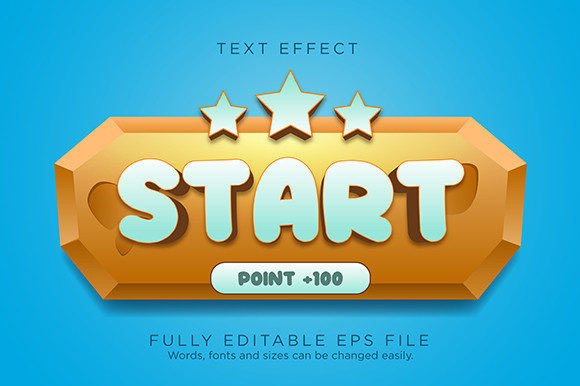
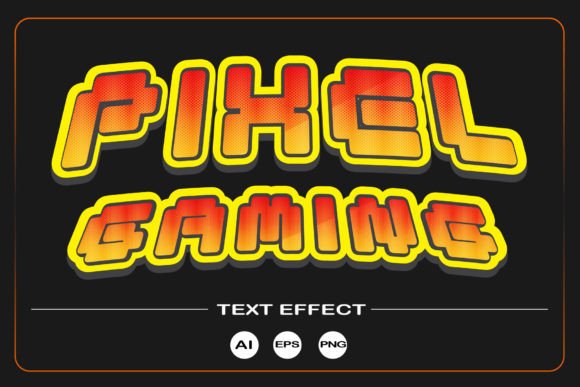
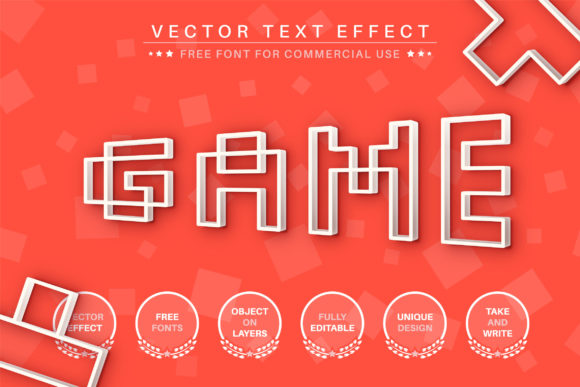
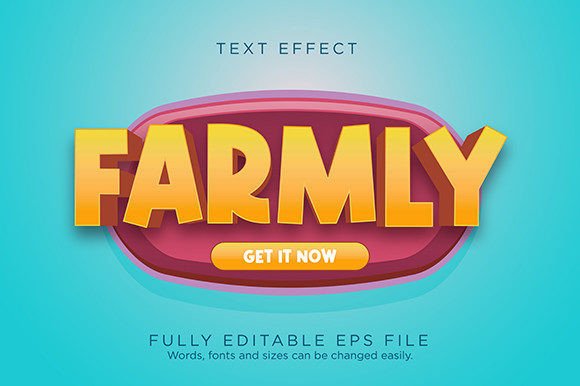
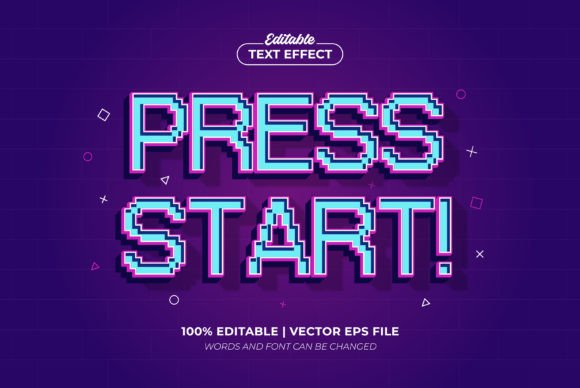
When we talk about pixel fonts, we often think of flat, two-dimensional text that mimics the limited resolution of old monitors. However, the Press Start Pixel 3D Game Retro style elevates this concept by adding a third dimension. This is not just a static image of text; it is an editable text effect. The distinction is vital for professional designers. Unlike a standard font file where you simply type and the characters appear in a single color and style, this effect acts as a styling layer applied to your typography. It creates the illusion of depth, shadows, and highlights that make the text "pop" off the background.
The visual appeal of this specific style lies in its ability to simulate the heavy beveling popular in 90s game cartridges and arcade cabinets, but with a clean, vector-based finish. Because it is scalable, you do not have to worry about pixelation when enlarging your design for a banner or a poster. It retains that "retro" grit while meeting the technical demands of "High Quality Resolution." This makes it a versatile asset for designers who need to work across different mediums, from a tiny favicon on a website to a large format print on a t-shirt.
Practical Applications for Modern Projects
The utility of a strong display style like this extends far beyond just making game logos. For small business owners and content creators, typography is often the first point of contact with the audience. Here is how you can apply this specific aesthetic to various creative projects:
- Brand Identity and Logos: If you are launching a tech startup, a podcast about retro culture, or a streaming channel, a 3D pixel style logo instantly communicates your niche. It suggests that your brand is fun, approachable, and perhaps a bit rebellious against corporate minimalism.
- Packaging Design: Think about a craft beer brand with a "gamer edition" brew, or a snack company targeting millennials. Using the Press Start Game 3D Editable Text Effect on the packaging can make the product jump off the shelf. The tactile feel of the design translates well to physical products.
- Social Media and Web Graphics: In the fast-scrolling environment of Instagram or TikTok, flat text often gets ignored. 3D text effects create visual stopping power. They are excellent for "New Post" announcements, sale banners, or YouTube thumbnails where you need to grab attention in a split second.
- Merchandise and Apparel: T-shirt design is a massive market. A "Ready to use" graphic style simplifies the process of creating designs for print-on-demand services. The retro gaming aesthetic is timeless and sells consistently well in the apparel market.
- Event Invitations: Planning a birthday party with a gaming theme or a corporate team-building event at an arcade? Custom invitations using this text effect set the tone immediately, ensuring guests know exactly what kind of atmosphere to expect.
Streamlining Your Design Workflow
One of the biggest hurdles in design is the time it takes to execute a vision. You might have a great idea for a poster, but if you have to spend four hours manually kerning letters and rendering 3D effects, the project becomes a chore. The primary value proposition of this asset is its editability. The description notes that it is "Very Easy to Edit Font and Text" and "Just Click and Edit." In practical terms, this means the workflow is non-destructive.
You can change the wording of your headline instantly to suit different marketing campaigns without having to rebuild the effect from scratch. If you decide that "Summer Sale" works better than "Mega Discount," you simply edit the text. Furthermore, the ability to use the font included in the design or any font you want opens up a world of typographic pairing. You could apply this retro 3D effect to a modern sans-serif font to create a unique fusion of styles, or stick to the classic pixel font for maximum nostalgia. This flexibility is a massive advantage for designers who need to adapt quickly to client feedback or shifting marketing goals.
Strategic Typography: Pairing and Readability
While the Press Start Pixel 3D Game Retro style is visually striking, it is essential to use it strategically. As a general rule of typography, highly stylized display fonts are best used for headlines, titles, and short bursts of text. Using a complex 3D pixel effect for an entire paragraph would likely result in poor readability and eye strain for your audience.
Instead, focus on contrast. Pair your bold, 3D retro headers with a clean, simple sans-serif font for the body copy. For example, if your header screams "GAME OVER" in high-contrast 3D pixels, your sub-header or description text should be something neutral and legible like Helvetica or Arial. This hierarchy guides the reader's eye, allowing them to absorb the mood from the headline while getting the information from the body text.
When selecting your color palette, consider the context. Retro gaming often utilizes high-saturation colors—electric blues, neon pinks, and vibrant greens. However, for a more sophisticated brand identity, you might opt for metallic golds or silvers to give the 3D effect a premium, luxurious feel. Since the file is provided as an EPS vector, you have full control over the color output, ensuring it matches your specific brand guidelines perfectly.
Technical Considerations and File Formats
For those less familiar with design software, it is helpful to understand what comes in the package. The inclusion of an EPS file is significant. EPS (Encapsulated PostScript) is a standard vector file format that ensures your graphics can be scaled to any size without losing quality. This is the industry standard for professional printing and logo design.
Along with the EPS file, a JPG preview is included, which is useful for quick mockups or showing clients concepts without needing to open Adobe Illustrator. The fact that the text effect is "Ready to use on Graphic Style panel" means that once you load the file into Illustrator, the effect is saved as a preset. This is a massive time-saver for batch processing multiple assets. You can apply the exact same lighting and depth to different words with a single click, ensuring visual consistency across a large campaign.
Final Thoughts on Visual Impact
In a digital landscape saturated with generic templates, finding a design asset that offers both personality and technical utility is rare. The Press Start Game 3D Editable Text Effect is more than just a nod to the past; it is a functional tool for creating high-impact visuals today. Whether you are a hobbyist making graphics for a Discord server or a professional marketer designing a campaign for a tech product, this style offers a way to communicate energy, fun, and nostalgia effectively. By leveraging the editable nature of the file and pairing it thoughtfully with complementary typography, you can elevate your projects from standard to standout.